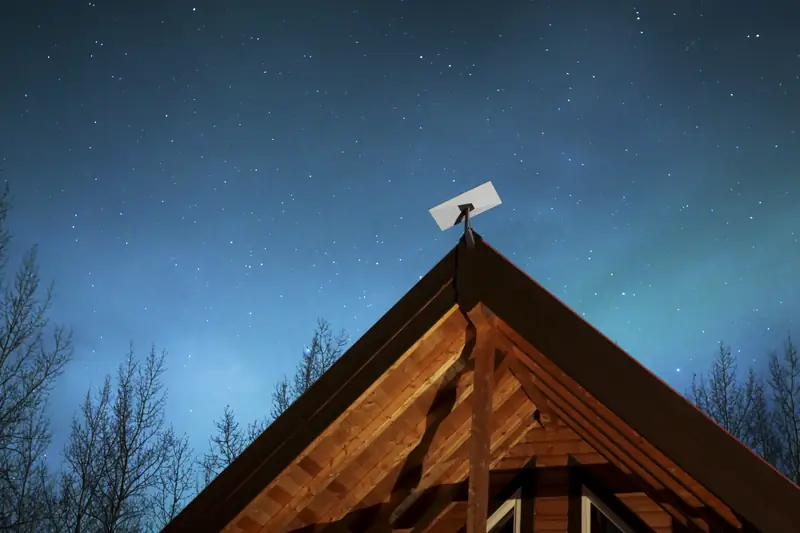
Starlink for cabins: internet all year or just for the summer
You order on Starlink.com at its normal price. First-time customers can currently get a $100 credit there, set by Starlink.
Mountain roads rarely come with fiber. Whether it's a full-time home above the valley or a family cabin you open every June, a dish with a clear view of the sky can bring home-grade internet to places cable never reached.
Two kinds of cabin owners, and a few in between
Full-time mountain homes
Residential service with unlimited data for streaming, school and remote work through the winter.
Seasonal cabins
Run a full plan while you're there, then switch to Standby Mode when you close up.
Family places and rentals
Guests expect Wi-Fi, and a live connection lets you check the place while you're away.
Off-grid getaways
Solar and battery cabins can run a kit if the power system is sized for it.
Snow, wind and the dish
Starlink says its dish is engineered to melt snow and withstand sleet, heavy rain and harsh winds. In snow country, mount it where snow sliding off a higher roof won't bury it, and where you can reach it safely.
On a steep or metal roof, a ridge mount sits on the peak without drilling. On a cabin with no good roof line, a pole in the clearing gets the dish above the trees.
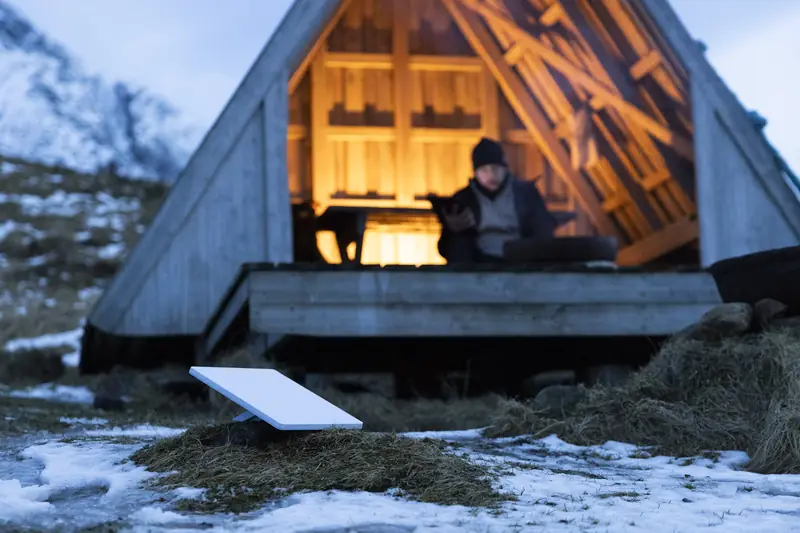
Full-time mountain home or seasonal cabin?
| Full-time mountain home | Seasonal cabin | |
|---|---|---|
| Usual plan | Residential, unlimited data | Residential in season, or Roam if the kit travels |
| Off-season | Not an issue | Standby, cancel or keep running |
| Mount | Permanent roof or pole mount | Permanent mount that sheds snow, out of slide paths |
| Power | Grid, with a UPS for short outages | Often solar or generator; size for the kit's daily draw |
| Who checks it | You, daily | A neighbor, alerts on Standby, or nobody until spring |
Pausing service between visits
When the cabin closes, you can keep the full plan, switch to Standby Mode for a small monthly fee, or cancel until spring. The trade-offs, and a year of costs worked out, are on Standby or cancel for a seasonal cabin.
Have it ready for opening weekend
Order ahead, set it up on your first visit, and use the 30-day trial to make sure the spot works.
Get your $100 credit for home (Starlink.com, new tab)
How the credit works: Starlink rewards first-time Residential or Roam customers who use this link once they've stayed subscribed for two months. In the U.S. it's $100 today, paid as a bill credit or cash, on terms Starlink controls.
Power at an off-grid cabin
On solar and batteries, the kit is a constant load, so the daily total matters more than the wattage. Size the battery bank and panels for the hours it really runs, and put the kit on a switched circuit so it's easy to shut down when you leave.
| Kit | Average draw (Starlink) | Per day if left on 24 hours | Per day at 8 hours |
|---|---|---|---|
| Standard kit | 75-100 W | 1.8-2.4 kWh | 0.6-0.8 kWh |
| Starlink Mini | 25-40 W | 0.6-0.96 kWh | 0.2-0.32 kWh |
Averages from Starlink's Standard and Mini specification sheets, read November 22, 2026. Energy = watts x hours. Snow melt heats the dish, so expect more draw in a storm.
First visit: getting the cabin online
- Before the trip, enter the cabin's address on Starlink's site to see what's offered there.
- On arrival, set the kit on its kickstand in the most open spot and let the app scan for obstructions.
- Pick a permanent mount where the app shows clear sky and roof snow won't slide onto it.
- Plan the cable route into the cabin; the Standard kit includes a 15 m (49.2 ft) cable.
- Before you leave, decide on the off-season: keep it, Standby or cancel.
Guests, renters and family
If the cabin is rented out or shared, a working connection is often the first thing guests ask about. A few habits keep it easy: post the Wi-Fi name and password inside, put the router somewhere central rather than in a closet, and add a Starlink mesh node if the bunk room sits far from the router. Starlink's Router 3 covers up to 3,200 sq ft in its spec, less through log walls and stone.
Unlimited data on Residential means you don't have to police streaming, which matters when a full house of guests arrives on a rainy weekend.
Who cabin Starlink isn't for
- Cabins deep in tall timber with no clearing: without a view of the sky, no mount fixes it.
- Places with good fiber or cable at the road: a wired line is usually steadier for the money.
- Owners who visit a weekend or two a year: a phone hotspot may be enough.
Bring the cabin online
Check what's offered at the cabin's address, and pause with Standby Mode when the season ends.
Get your $100 credit for home (Starlink.com, new tab)
How the credit works: Starlink rewards first-time Residential or Roam customers who use this link once they've stayed subscribed for two months. In the U.S. it's $100 today, paid as a bill credit or cash, on terms Starlink controls.
Questions
Cabin questions
Can I use my home Starlink at the cabin?
Residential service is set up for its service address. For a second place you visit, look at a Roam plan, or at Residential Max, which offers an optional extra Mini kit with discounted Roam plans.
Will it work in a forested valley?
Tall trees and steep ridges are the main obstacles. Run the Starlink app's obstruction check before choosing a mount. A pole in a clearing often solves it. See choosing a mount.
What about winter storms?
Starlink says the dish melts snow and handles harsh weather. Very heavy precipitation can still slow any satellite link for a while.
Can I pause service while the cabin is empty?
Yes. Standby Mode keeps a slow link for a small fee, or you can cancel until spring. See Standby or cancel for the yearly math.
First time with Starlink?
The $100 home credit, briefly
Ordering Starlink for the house for the first time? Begin with the button below and Starlink can credit $100 to your account after two months on a home or Roam plan. Your price at checkout stays the same.
Click to get your $100 credit (Starlink.com, new tab)
The button carries my referral code, which may also earn me a referral benefit. Starlink sets the terms and can change them.