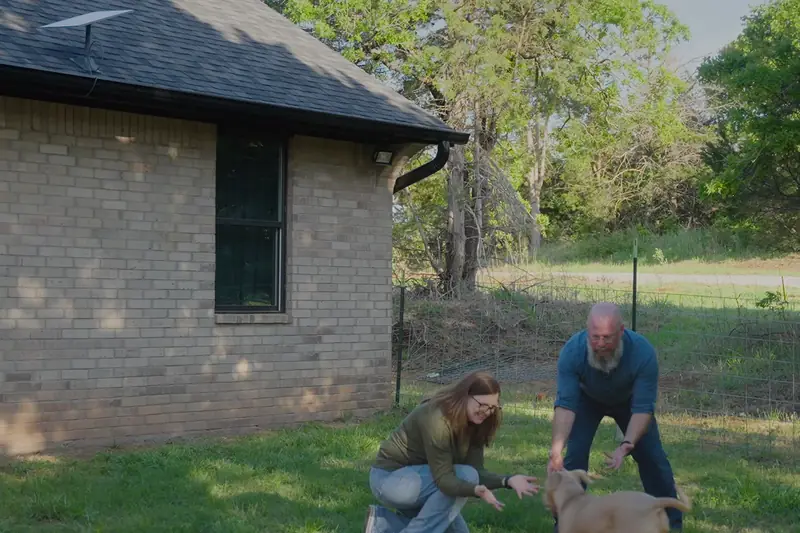
Starlink for remote work: a home office that keeps up
You order on Starlink.com at its normal price. First-time customers can currently get a $100 credit there, set by Starlink.
Moving out of town used to mean giving up a dependable work connection. For video calls and cloud tools, what matters most isn't raw speed. It's low delay and a steady upload, and that's where low-orbit satellites changed the picture.
The numbers remote workers care about
- 25.7 msmedian peak-hour latency in the U.S. (Starlink, June 2025)
- <1%of U.S. latency measurements above 55 ms (Starlink)
- 20.7 Mbpsmedian U.S. upload in early 2026, up 42% in a year (Ookla)
Geostationary satellites sit about 22,000 miles up. Starlink's orbit a few hundred miles up, which is why its delay is a small fraction of old satellite service.
What a workday asks of it
Video calls
Zoom, Teams and Meet need a few Mbps up and low delay, both well within what the network reports.
VPN and remote desktop
Most company VPNs work like they do on any broadband line. A wired desk steadies long sessions.
Big uploads
Video, design files and backups are where a steady upload pays off. Schedule huge syncs outside call hours.
Two people on calls
If two of you are often on calls at once, Residential 200 Mbps or Max leaves more headroom.
How much upload a workday needs
Video calls need far less bandwidth than people expect. Upload is the side that matters, and here's the math for one person and for two.
| Call quality | Upload | Download | Two people at once (upload) |
|---|---|---|---|
| High quality (360p) | 1.0 Mbps | 0.6 Mbps | 2.0 Mbps |
| 720p HD | 2.6 Mbps | 1.8 Mbps | 5.2 Mbps |
| 1080p HD | 3.8 Mbps | 3.0 Mbps | 7.6 Mbps |
| Screen sharing only | 50-150 Kbps | 50-150 Kbps | under 0.3 Mbps |
Zoom's recommended bandwidth for group meetings, from its technical library, read November 22, 2026. Ookla measured a median U.S. Starlink upload of about 20.7 Mbps in early 2026, so even two 1080p calls use well under half of a typical upload.
Set up the desk for steady calls
- Plug in when you can. Depending on the router model, Starlink offers Ethernet ports or an adapter. A wired laptop skips Wi-Fi dropouts.
- Clear the sky view. Brief dropouts usually trace back to an obstruction. The app maps them, so move or raise the dish before blaming the network.
- Add mesh for distant rooms. An office over the garage may need a mesh node or a wired access point.
- Keep a fallback. A phone hotspot covers a rare outage during an important meeting.
Try it through a full month of meetings
Starlink's 30-day trial is long enough to test your real workload: calls, VPN and uploads.
Get your $100 credit for home (Starlink.com, new tab)
How the credit works: Starlink rewards first-time Residential or Roam customers who use this link once they've stayed subscribed for two months. In the U.S. it's $100 today, paid as a bill credit or cash, on terms Starlink controls.
A remote-work setup checklist
- Run the app's obstruction check and fix anything it flags. Most short call drops trace back to the view of the sky.
- Put your desk on a wired connection or right next to a mesh node.
- Schedule large cloud backups and uploads outside your meeting hours.
- Ask IT whether your VPN or tools need inbound connections or a fixed public IP, since Residential shares public IPv4 addresses.
- Keep a phone hotspot ready for the rare outage.
Who it isn't for
- Jobs that need a static public IP or inbound connections: check with IT before you rely on it.
- Latency-critical work, like competitive trading: latency is low but varies more than fiber, so test during the trial.
- Homes with fiber already available: fiber is usually the steadier choice for the price.
Make the move without losing your connection
See the home plans offered at your address, then test them on a real workweek.
Get your $100 credit for home (Starlink.com, new tab)
How the credit works: Starlink rewards first-time Residential or Roam customers who use this link once they've stayed subscribed for two months. In the U.S. it's $100 today, paid as a bill credit or cash, on terms Starlink controls.
Questions
Remote work questions
Is Starlink good enough for Zoom or Teams?
For most people, yes. Starlink reports a U.S. median peak-hour latency of 25.7 ms, and Ookla measured a median upload of about 20.7 Mbps in early 2026. Obstructions are the main cause of brief call drops.
Does Starlink work with a company VPN?
Most VPNs work fine. If your job needs inbound connections or a fixed public IP address, check with your IT team first, because Starlink Residential shares public IPv4 addresses among customers.
Can I game or trade on it?
Latency is low enough for most online use, but it varies more than fiber does. If milliseconds matter to your work, test during the trial.
What if two of us are on video calls at once?
Choose a plan with headroom. Residential 200 Mbps or Max leaves more room than the 100 Mbps plan when two people are on calls at the same time.
Is Wi-Fi enough for my desk?
A wired connection at the desk, or a mesh node near it, keeps long calls steadier than Wi-Fi through several walls. See Wi-Fi for the whole house.
First time with Starlink?
The $100 home credit, briefly
Ordering Starlink for the house for the first time? Begin with the button below and Starlink can credit $100 to your account after two months on a home or Roam plan. Your price at checkout stays the same.
Click to get your $100 credit (Starlink.com, new tab)
The button carries my referral code, which may also earn me a referral benefit. Starlink sets the terms and can change them.