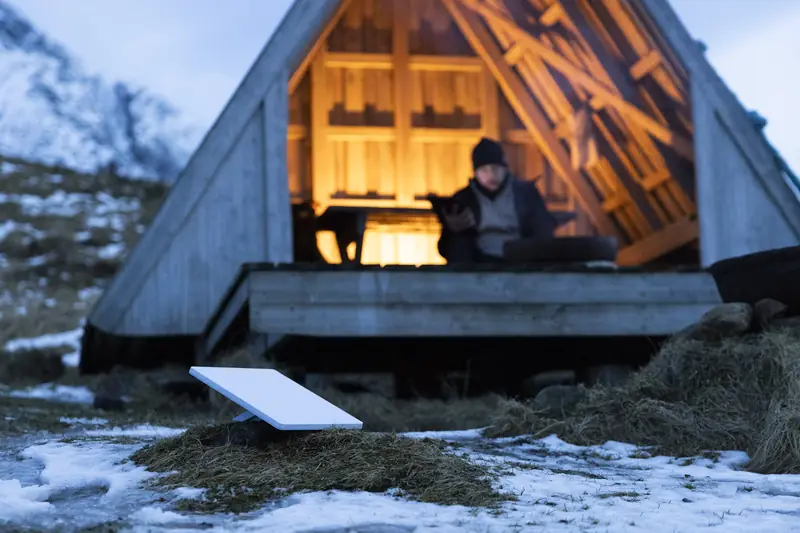
Seasonal cabin Starlink: Standby Mode or cancel for the off-season?
You order on Starlink.com at its normal price. First-time customers can currently get a $100 credit there, set by Starlink.
If nothing at the cabin needs the internet while you're gone, canceling for the off-season usually costs the least. If an alarm panel, a freeze sensor or a smart thermostat needs to reach your phone, Standby Mode's low-speed link is worth its small monthly fee.
Here's what changes with every choice, a year of costs worked out, and a short checklist for closing day.
Standby Mode at a glance
Three numbers that decide it
- 500 Kbpstop speed on Standby, with unlimited data
- $10/moU.S. Standby fee reported in May 2026
- 12 monthsin a row on Standby before Starlink may require a fee or a plan change
Speed and the 12-month rule are from Starlink's Standby terms. Starlink's own pages describe the Standby fee only as "a small monthly fee." PCMag and The Verge reported it rose to $10 a month in the U.S. in May 2026; your account shows the exact amount.
Keep it, park it, or cancel it
| Option | Off-season cost | What works while you're away | Coming back |
|---|---|---|---|
| Keep the full plan | Your plan's monthly price | Everything, at full speed | Nothing to do |
| Standby Mode | About $10 a month (reported) | Low-speed data, up to 500 Kbps, for alerts and messages | Switch back to a full plan in the app |
| Cancel | $0 | Nothing | Reactivate on whatever plans and prices Starlink offers at the time |
Standby isn't offered on promotional plans, and Starlink has said it doesn't hold your place on a Residential plan in areas at capacity.
A year of cabin internet, worked out
The difference between Standby and canceling is simply the Standby fee for the months you're away. The bigger saving is not paying for a full plan all year.
| Months at the cabin | Full plan all year | Plan in season + Standby | Plan in season, cancel the rest |
|---|---|---|---|
| 3 months | 12 plan months | 3 plan months + $90 | 3 plan months |
| 4 months | 12 plan months | 4 plan months + $80 | 4 plan months |
| 6 months | 12 plan months | 6 plan months + $60 | 6 plan months |
| Example: 4 months on Roam 300GB ($80) | $960 | $320 + $80 = $400 | $320 |
Plan months = your plan's monthly price. Residential prices depend on the address, so Starlink shows them at checkout; the example uses Roam 300GB at Starlink's U.S. price read November 22, 2026. Standby at the reported $10 a month. Kit, taxes and fees not included.
What 500 Kbps can and can't do
Standby's link is slow on purpose. It's meant for low-bandwidth jobs and for switching back to full service from a place with no cell signal.
- Usually fine: alarm and sensor notifications, smart thermostat check-ins, text-based messaging.
- Not built for: streaming security cameras, video calls or anything a guest would call real internet.
- Power still matters: the kit has to stay powered to stay connected, so leave its circuit on if you keep Standby running.
Set up the cabin before the season starts
Order ahead and test the spot on your first weekend. Starlink's 30-day trial includes a full refund.
Click to get your $100 credit (Starlink.com, new tab)
How the credit works: Starlink rewards first-time Residential or Roam customers who use this link once they've stayed subscribed for two months. In the U.S. it's $100 today, paid as a bill credit or cash, on terms Starlink controls.
Closing-day checklist
- Look at your billing date in the Starlink app. Billing runs in one-month steps, so switch before the next cycle.
- Decide what has to stay online: alarm, freeze sensor, thermostat, nothing at all.
- If you keep Standby, leave the kit powered and the dish clear of where roof snow slides.
- If you cancel, check whether your area shows a demand surcharge for restarting service, since some busy areas charge one.
- Write down when to switch back, so the cabin is online again before opening weekend.
A third option: Roam at the cabin
Roam isn't tied to one address. If the family uses one kit at the cabin and somewhere else, Roam 100GB ($55) or 300GB ($80) a month, plus Standby between visits, can be simpler than a Residential plan. Residential still gives unlimited data at a fixed address, and Max adds top network priority, which matters for full-time living. Mountain homes and seasonal cabins covers mounts, snow and power.
When Standby isn't the right call
- Nothing runs at the cabin while you're gone: canceling saves the fee.
- You need cameras watching the place: 500 Kbps won't carry live video well, so keep a full plan.
- The cabin is empty for more than a year: Starlink's 12-month rule kicks in.
Get the cabin connected for next season
See what Starlink offers at the cabin's address, then pick the off-season option that fits.
Click to get your $100 credit (Starlink.com, new tab)
How the credit works: Starlink rewards first-time Residential or Roam customers who use this link once they've stayed subscribed for two months. In the U.S. it's $100 today, paid as a bill credit or cash, on terms Starlink controls.
Seasonal cabin questions
Does Standby keep my Residential spot?
Not always. Starlink has said Standby doesn't hold your place on a Residential plan in areas that are at capacity.
Can security cameras run on Standby?
Not well. Standby tops out at 500 Kbps, which suits alerts and sensors rather than live video.
Is Standby available on every plan?
Starlink offers it on Residential and Roam, but not on promotional plans.
How long can I leave it on Standby?
After 12 months in a row, Starlink may require a fee or a plan change, according to its terms.
First time with Starlink?
The $100 home credit, briefly
Ordering Starlink for the house for the first time? Begin with the button below and Starlink can credit $100 to your account after two months on a home or Roam plan. Your price at checkout stays the same.
Click to get your $100 credit (Starlink.com, new tab)
The button carries my referral code, which may also earn me a referral benefit. Starlink sets the terms and can change them.