
Good internet for a home that was never on the cable map
You order on Starlink.com at its normal price. First-time customers can currently get a $100 credit there, set by Starlink.
Search for "mobile home internet" and you get three different conversations: manufactured houses on their own land, homes on rented lots in a park, and travel trailers that move every few weeks. Every one of these needs a different answer, and most of the top results are really about cell-phone home internet.
This page is about the first two, a manufactured home that stays put. It covers where the dish can go on a low, light roof, what a park lot changes, and the one case where a different Starlink plan fits better.
Which kind of mobile home do you have?
On your own land
A manufactured home on a lot you own. Mount choices and the roof are your call, and a pole is often the easy fix.
On a park lot
A home you own on land you lease. Check the park's rules and your lease, and the lot's tree cover.
Moves with you
A trailer or park model that changes sites. That's a Roam question, because Residential service is tied to one address.
The roof question
Manufactured homes often have lower-pitched roofs, thinner decking and a metal or membrane covering. Those are the reasons many owners hesitate to drill. Starlink's professional installation page says installers bring mounts for all roof types, including pivot, wall and pipe adapters, free with the install, and that they use a third-party mount if a Starlink one doesn't fit.
If a mount can't be fastened securely to the roof, Starlink says installers may mount to the fascia or a wall instead. That can protect the roof, which matters if the manufacturer's warranty is a worry. Ask before you drill, and keep the warranty paperwork handy.

Pole, wall or fascia: the real choices
A pole is the workhorse for homes where the roof is the wrong place for a dish. Starlink's V5 kit includes a pipe adapter, so the dish can sit on a standard pipe set in the ground, clamped to the home's frame or fastened to a sturdy fence post.
Wall and fascia mounts keep the dish out of the roof surface and can lift it above a skirt, a shed or a neighbor's trailer. The right spot is the one the Starlink app's obstruction check likes, so test with the app before you commit.
- Pipe adapter mount: good for open lots and tall poles.
- Wall or fascia mount: keeps hardware off the roof surface.
- Pivot mount: an option when the roof is solid and the installer is comfortable with it.
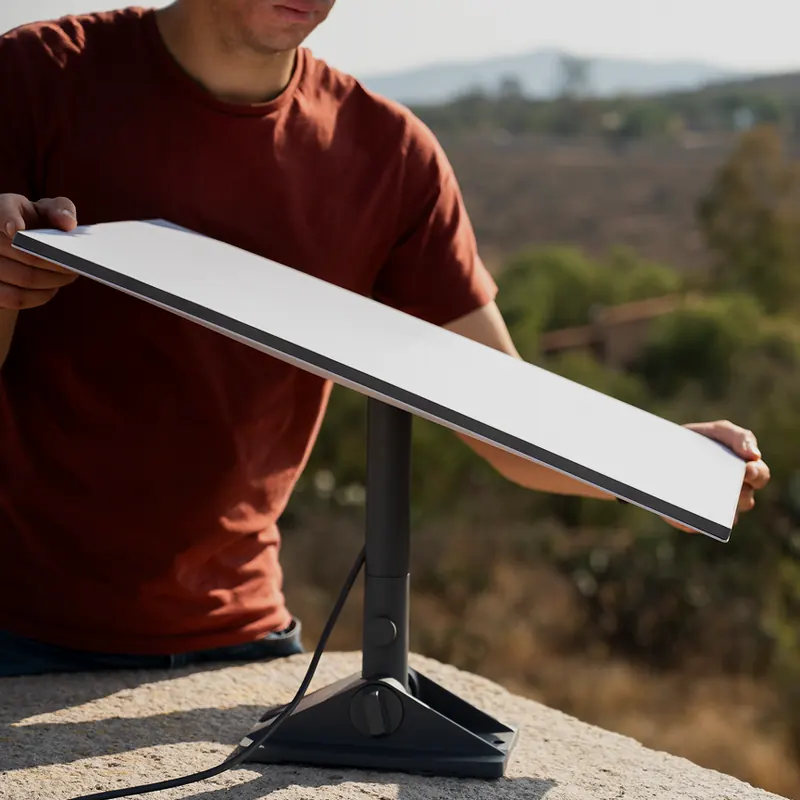
Mount styles, from Starlink's installation photos
Starlink shows its three standard installation mounts in its own product images. Here's how they look in place.
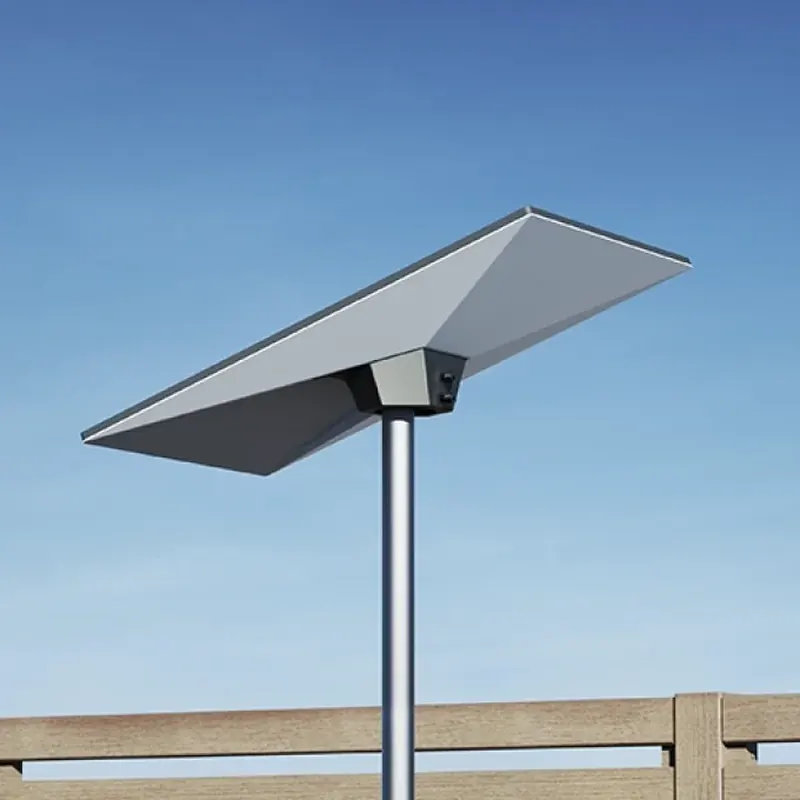
A pipe adapter mount on a pole. Image: Starlink. 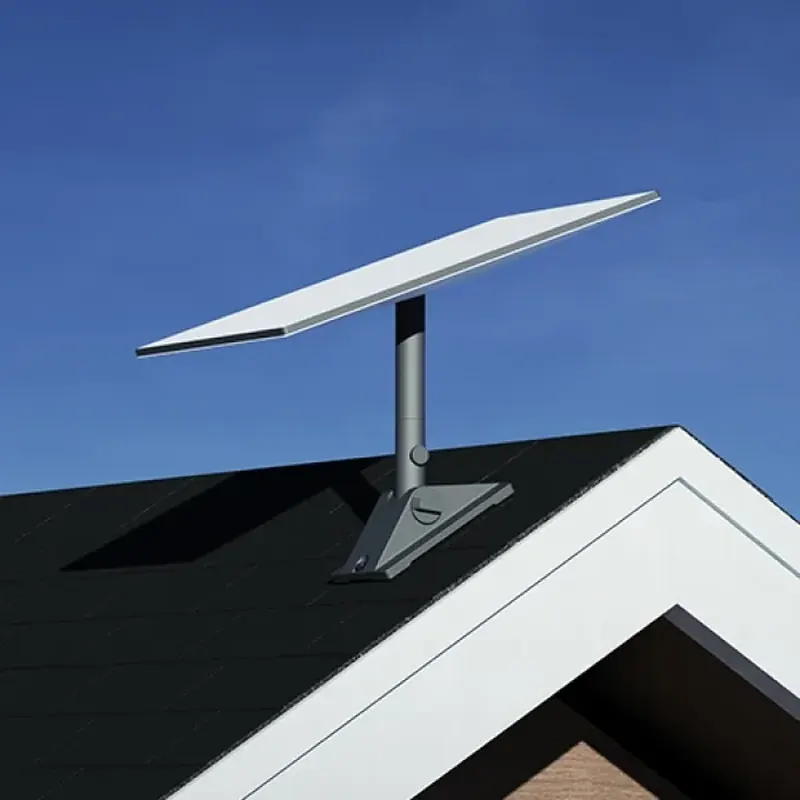
A pivot mount at a roof peak. Image: Starlink. 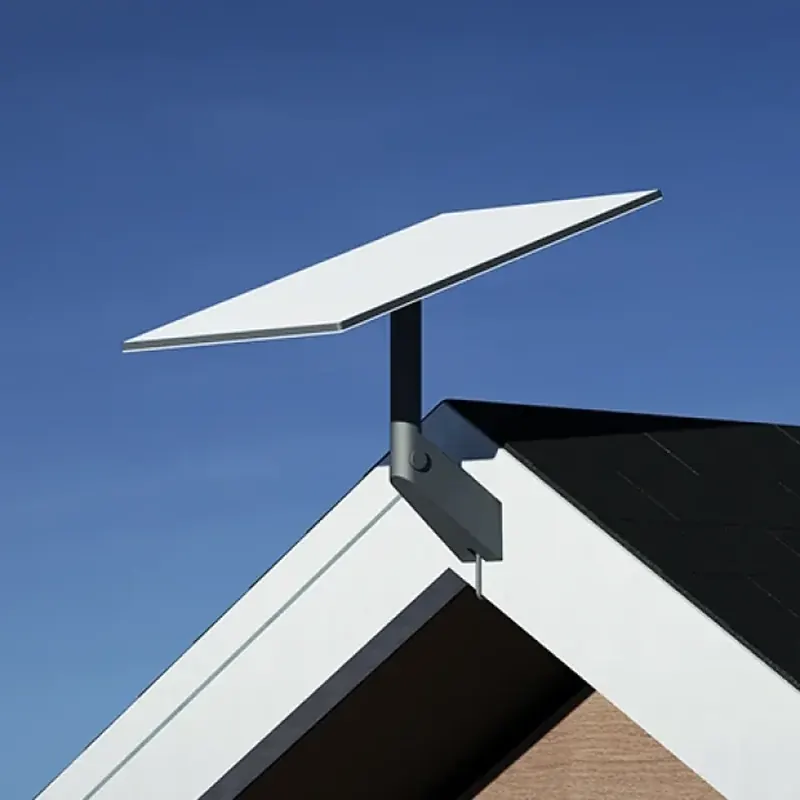
A wall mount near the roofline. Image: Starlink.
Check your address
See what Starlink offers at your address
Residential plans depend on where you live, and Starlink offers a 30-day trial with a full refund if it isn't right for you.
Click to get your $100 credit (Starlink.com, new tab)
How the credit works: Starlink rewards first-time Residential or Roam customers who use this link once they've stayed subscribed for two months. In the U.S. it's $100 today, paid as a bill credit or cash, on terms Starlink controls.
Cable, router and Wi-Fi in a long, narrow home
Starlink's V5 kit ships with a 15 m (49.2 ft) cable, a 1.5 m AC cable and a 2 m Ethernet cable, along with Router Mini and its stand. That's enough for most single-wides if the dish sits on the same side of the home as the router. Measure the route, around corners and through the wall, not the straight line.
- Pick the entry point first. Pros typically route the cable through a sealed hole, and a self-install can run it through an existing gap or a window pass-through.
- Put the router in the middle of the home and off the floor.
- In a long layout, a second Wi-Fi point at one end can beat one strong router at the other. See Wi-Fi coverage for the whole house.
- If the home is only used part of the year, Standby Mode or cancel walks through the cost math.
Park rules and your right to a dish
If you own your home on a leased lot, you probably have rules to follow. A federal FCC rule called OTARD limits restrictions on antennas one meter or smaller on property within your exclusive use or control, including restrictions in leases and community association rules. It doesn't protect common areas, and it allows reasonable safety rules.
That means a park can't flatly ban a dish on your own lot, but it can set sensible rules on placement and safety. Read your lease and talk to management first. This is general information, not legal advice.
Residential or Roam for a mobile home?
| Your home | Plan to look at | Why |
|---|---|---|
| Stays on one lot all year | Residential | Built for a fixed address, with unlimited data and a 30-day trial. |
| Moves a few times a year | Roam | Roam bills monthly and works across sites, though in-motion use has its own rules. |
| Used only part of the year | Residential with a pause, or Roam | Starlink's Standby Mode keeps low-speed data when you pause. |
Starlink says in-motion use isn't permitted on any Residential plan. A home that is towed should be set up on Roam, or moved with the account address updated.
Who this setup isn't for
- Tree-covered lots: if the sky is mostly leaves, a pole may need to be tall, and some lots can't get a clear view.
- Tight park layouts: a tall neighbor or a row of trailers can block a low dish. Test before you pay for hardware.
- Renters with strict leases: if the property is rented, read the lease and see what renters can do.
Check your lot before you order
The 30-day trial lets you test the sky view and Wi-Fi at home before you commit.
Click to get your $100 credit (Starlink.com, new tab)
How the credit works: Starlink rewards first-time Residential or Roam customers who use this link once they've stayed subscribed for two months. In the U.S. it's $100 today, paid as a bill credit or cash, on terms Starlink controls.
Manufactured home questions
Can I use Starlink in a mobile home park?
Often yes, if you own the home, have a clear sky view and follow the park's reasonable rules. A federal rule called OTARD limits restrictions on dishes under one meter on a lot you control, and common areas aren't covered. Ask management before you install.
Do I have to drill into my roof?
No. Starlink's installers can mount to a wall or fascia if the roof isn't secure, and a pipe adapter lets the dish sit on a pole. A self-install can use a kickstand to test spots first.
Can I use Residential if my home gets moved?
Residential is for one service address, and Starlink says in-motion use isn't permitted on Residential plans. If you relocate, update your address in your account. If you move often, Roam is the better fit.
Is the Wi-Fi strong enough for a long single-wide?
One router often covers a single-wide, but walls and distance matter. If one end is weak, a second Wi-Fi point near that end usually helps more than moving the router.
Is professional installation free?
Starlink's Residential page lists free professional home installation with the 200 Mbps and Max plans, in the areas where they're offered. Check your address for what applies.
First time with Starlink?
The $100 home credit, briefly
Ordering Starlink for the house for the first time? Begin with the button below and Starlink can credit $100 to your account after two months on a home or Roam plan. Your price at checkout stays the same.
Click to get your $100 credit (Starlink.com, new tab)
The button carries my referral code, which may also earn me a referral benefit. Starlink sets the terms and can change them.