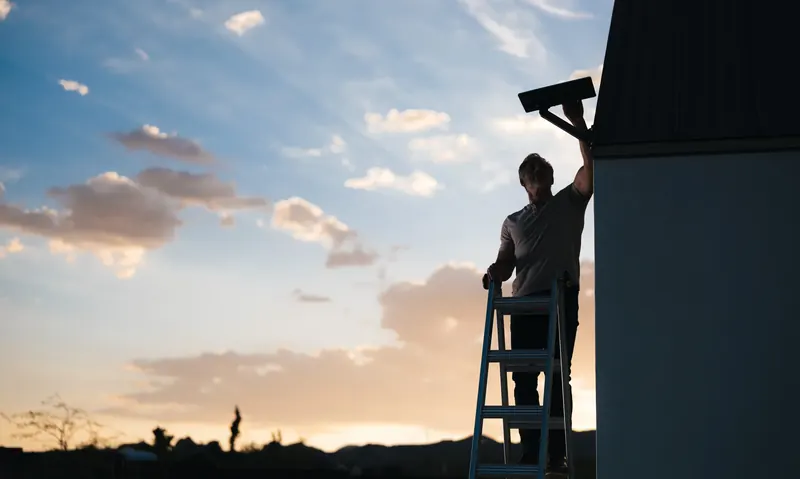
Starlink professional installation: what it covers and when you need it
You order on Starlink.com at its normal price. First-time customers can currently get a $100 credit there, set by Starlink.
Starlink ships the residential kit so you can set it up yourself. The kickstand, the app and a short cable run through a window are enough for many houses. Professional installation is the option for everyone else: a steep or two-story roof, a long indoor cable, a home where you cannot climb, or a site where a messy DIY job would be hard to undo.
This page explains what to expect, not how to hire a specific company. Starlink has offered a professional installation option at U.S. checkout when a partner technician is available at the address. The fee, and whether a higher Residential plan includes it, has changed over time. Check the option on the order page for your address rather than relying on a price you saw in an article. For the physical choices, see setting up Starlink at home.
Do you actually need a technician?
You probably do not, if you can place the dish in an open yard, on a deck, or on a low, simple roof, and if a short, tidy cable run will reach the router. The app's obstruction check will tell you whether that spot can see the sky.
You may want a pro if the only good sky is high on the roof, if the cable has to pass through a finished wall or a long attic, if the roof is steep, metal or otherwise awkward, or if you are not comfortable on a ladder. A professional visit does not change the plan you buy; it only places the hardware.
What a standard visit usually includes
When the option appears at Starlink checkout, it is typically fulfilled by a national installation partner, not by a Starlink employee. In a standard visit the technician will help pick a clear-sky location, mount the dish, run a basic cable to the router, power it up and confirm that service comes online. Many partners also walk through the app before they leave.
A standard visit usually does not include a custom pole in concrete, a run to a second building, whole-home mesh, fishing cable through finished rooms you did not discuss, or electrical work. If the roof is unusually tall or steep, the partner may say the job is outside a standard install and you will need a different contractor. Ask, in writing if you can, what is included at your address before the appointment.
Starlink has said, in customer-facing material we have seen in earlier coverage, that because a third party does the work, Starlink itself is not responsible for the quality of the install or for property damage. Read the current checkout terms. If you want a licensed local contractor instead, that is a private hire and is not the same product as Starlink's checkout option.
Cost, without inventing a number
Do not budget from a figure on this page. Some write-ups in 2026 described a set fee on the lower Residential plans and a no-cost install on Residential Max, but we could not confirm today's checkout price directly on starlink.com in this writing pass. Availability also varies by address. The only reliable number is the one shown when you enter your service address and go through checkout.
On November 26, 2026, Starlink's service-plans page listed U.S. Residential plans at $55 a month for 100 Mbps, $85 for 200 Mbps, and $130 for Residential Max, with the two lower plans limited to those speeds and offered only in select areas. The kit is a separate hardware charge. If a professional install is offered, it will show up as its own line or as an included extra.
Curious about a pro install?
See whether professional installation is offered at your address
Enter the address on Starlink's order page. If a professional install is available, the current fee or inclusion will be on the checkout screen.
Click to get your $100 credit (Starlink.com, new tab)
How the credit works: Starlink rewards first-time Residential or Roam customers who use this link once they've stayed subscribed for two months. In the U.S. it's $100 today, paid as a bill credit or cash, on terms Starlink controls.
How to be ready on the day
- Make sure the kit has arrived before the appointment. A technician cannot install a box that is still in transit.
- Walk the property yourself, or with the app, and have a preferred spot in mind, plus a backup if the first roof face is obstructed.
- Clear access to the attic, utility room or the interior wall where the cable should enter, and say so at the start of the visit.
- Ask what happens if the job is more complex than a standard install, including any extra charges, before work begins.
- Stay on site for the walkthrough so you can see the app, the obstruction view and how to reach support later.
- After the visit, keep the documentation and look at the mount and cable entry before the first hard weather.
If you do it yourself instead
Self-install is still the default. Start with the obstruction check, a stable mount or the kickstand, and a cable run that will not be pinched in a window all winter. Home setup is the practical guide. If you later decide the roof work is too much, you can still hire a local installer; you do not have to order the checkout option to get help.
A careful DIY job on a simple house is not a lesser install. A sloppy roof job, pro or DIY, is the thing to avoid.
Check plans and installation options for your address
Starlink's order page is where current Residential prices and, if offered, professional installation will appear for your service address.
Click to get your $100 credit (Starlink.com, new tab)
How the credit works: Starlink rewards first-time Residential or Roam customers who use this link once they've stayed subscribed for two months. In the U.S. it's $100 today, paid as a bill credit or cash, on terms Starlink controls.
Professional installation questions
Is professional installation required?
No. Starlink designs the kit for self-install. A technician is optional, and only when the option is offered at your address or you hire someone on your own.
How much does Starlink charge for it?
It depends on the address and the plan, and the figure has changed. Look at checkout rather than a price quoted on a third-party site.
What should I ask the technician?
What the visit includes, how the cable will enter the house, whether the chosen mount is standard, and what it would cost if the job is more complex.
Will a pro install improve my speed?
Only if a better, clearer mount is the difference between an obstructed dish and an open one. It does not change your plan's speed cap or the network in your area.
Can I use a local contractor instead?
Yes. That is a private hire, with its own price and warranty. It is not the same as the option, if any, shown in Starlink checkout.
First time with Starlink?
The $100 home credit, briefly
Ordering Starlink for the house for the first time? Begin with the button below and Starlink can credit $100 to your account after two months on a home or Roam plan. Your price at checkout stays the same.
Click to get your $100 credit (Starlink.com, new tab)
The button carries my referral code, which may also earn me a referral benefit. Starlink sets the terms and can change them.